Entry Instructions |
Home > Entry Instructions |
 |
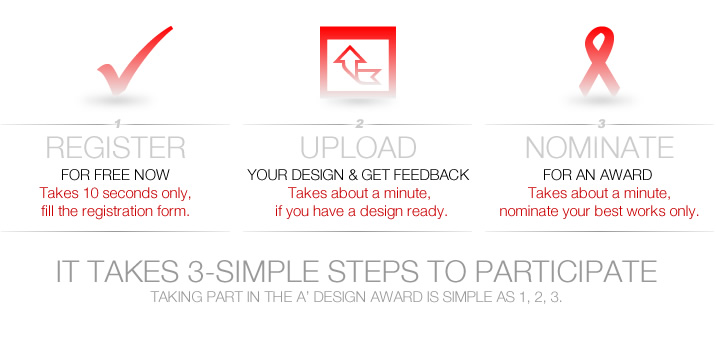
If you are in rush, this is how it works:
1. Register, 2. Upload Design, 3. Nominate, 4. Get Results, 5. A' Design Prize.
It is very simple, you just need to 1. Create an account for free, create an account right now. 2. Upload your design for free and get a free Preliminary Score, send your designs today. You will get a Preliminary Score (PS) between 0 (worst) to 10 (best) within a few days, but before you could get a preliminary score, your presentation should be complete and correct - get design presentation guidelines to maximize your score, and we will send you emails to make sure your presentation is correct, we will ask you to make changes if necessary. 3a. If you get a High Preliminary Score (PS>=6) it means your design is likely to be announced as a winner, we advise you to pay the nomination fee and Nominate Your Entry for award consideration, 3b. If you get a Low Preliminary Score (PS<=5), we advise you not to pay the Nomination Fee until you make improvements to your design and its presentation. Learn more about Preliminary Score here. 4. Wait for Design Award Results. 5. Get A' Design Prize and Enjoy Benefits of Winning the A' Design Prize.
Detailed Entry Instructions and Suggestions are as follows:
1. Fill the registration form.
The registration form is divided into two parts (click here to go to the registration page), the first part is the required information which you have to fill in order to receive the award, you also need to agree with the terms and conditions to proceed. Second part consists of optional information, this information although optional is highly suggested to be filled by designers, makers, innovators, architects, crafters and participating companies as they will be used to create profile pages of the participants, however this information could also be filled at a later time.
Good to Know: When filling this information, it is important to read about profile-creation and naming suggestions. After you register successfully, the system automatically assigns you an ID number, you will also receive a confirmation email for your email address and a personalized page will be created for you (you can contact us if you did not receive the confirmation email).
1.5 Download Presentation Guidelines
Before uploading your project images, you might wish to download our presentation guidelines which clearly explains image dimensions and requirements. It is worth reading this document, as it gives you best practices to showcase your work.
 Almost all (97 percent) of our laureates have gone through Presentation Guidelines.
2. Upload your design or designs.
When you login for the first time, the system will ask you to choose an account type. Once an account type is selected, after you login, you will be automatically redirected to your A' Design Award control panel. In your control panel, you will want to check the Submission section where you can upload your design. (You can click here to go to your Control Panel>Submission section).
Good to Know: You will also want to know about the Hidden Cabinet page where you are able to modify your existing submissions, nominate existing ones and access feedback for your designs. From your Hidden Cabinet you can upload files and images, make new submissions and this special space is only accessible by you.
In the Hidden Cabinet page, you will see the upload new design ( ) icon, click on the sign to go to the upload new design page. The Upload Designs page will show up, first we will ask you to provide text regarding your entry, after entering text click on "Save and Continue" button. Once you save your text, you can now upload images, you will be asked to provide up to 5 images. You will want to make sure your images comply with the Presentation Guidelines, select the images from your computer and click on "Save and Continue" button. You will be redirected to Design Preview and Nomination Page where you can see a preview of your entry. From Design Preview and Nomination page, you can modify your design, and if you wish, upload additional documentation, provide links and upload a movie. Documentation and Movie is optional for most categories, and we will send you an email if you need to upload them. You can pause and continue the submission process at any point. Your designs will be saved at the Hidden Cabinet section where you can always access from your Control Panel at any point.
In summary: Enter Details > Upload Images > Review the Design. It is actually easier than it sounds and you can modify your designs at any time you wish, you can make as many changes as you wish.
2.5 Preliminary Checks
Preliminary checking service is a complimentary (free of charge) service provided to all participants before and after the nomination. We suggest all participants to make use of this service in order to get indicative preliminary scores, additional jury feedbacks, comments and suggestions about their presentations.
3. Nominate the designs.
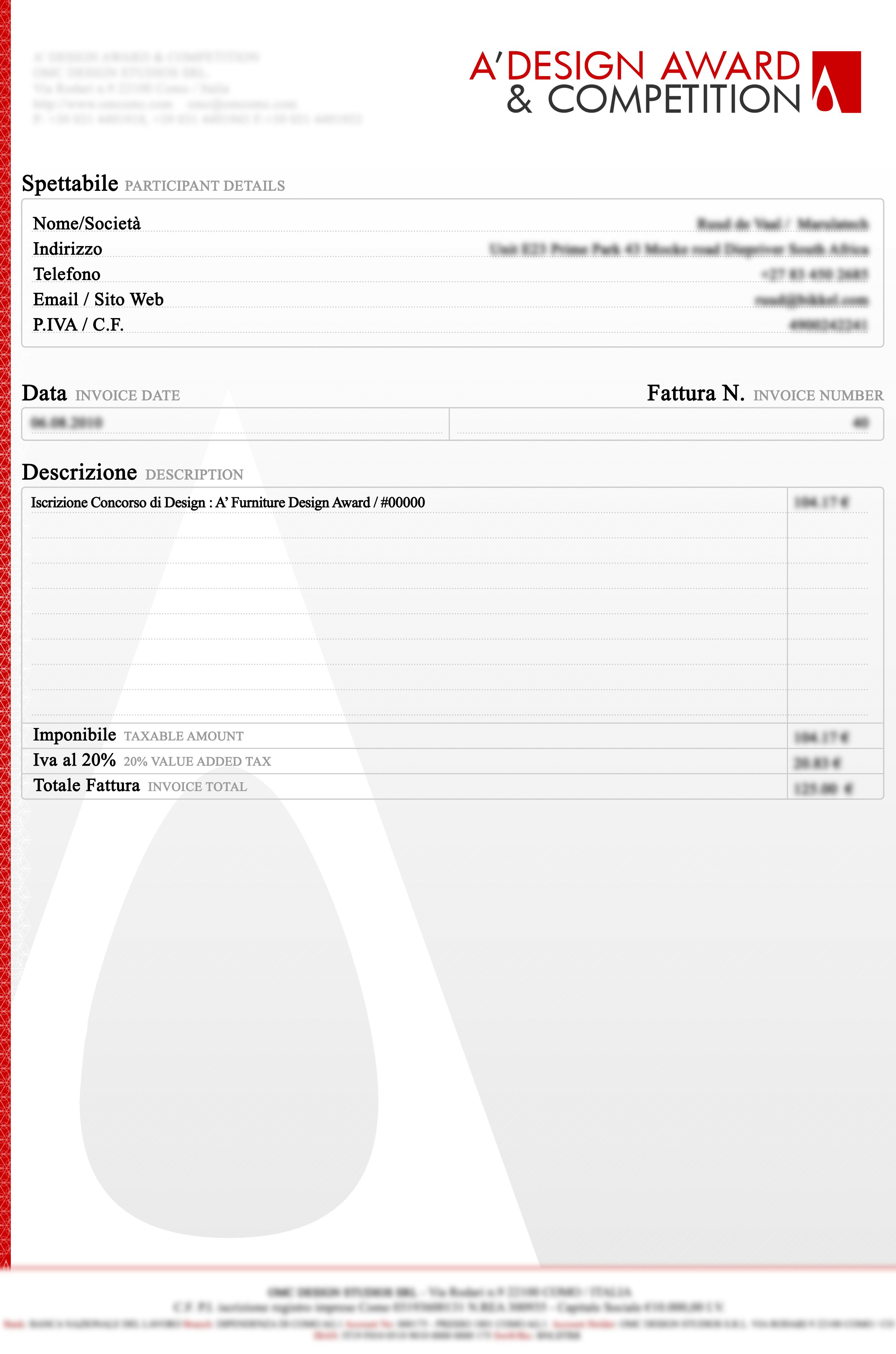
Visit Nominate Designs page after logging in, you will have several payment options, For each payment you make, you will receive an invoice by Email at the end of the month, the invoice will note "Processing fee for joining A' Design Competition" (click here to see an example).
You can nominate any or all of your designs by visiting the Nominate a Design page, accessible from your Control Panel, click on the Nominate sign ( ) below the design you wish to nominate for award consideration. When you nominate your designs, they will be flagged with a "awaiting payment" (
 ) sign. After a payment has been confirmed, the designs will pass a preliminary check and they will be flagged as "checked" (
 ).
).
If you have a Nomination Ticket, you can use your ticket to bypass the payment, and if you would want to learn about the costs related to nominating a design, you could Calculate Entry Fee first, and you would also be happy to learn that we have a no further fees policy; if you are announced as a winner, you will not be obliged to pay any further fees.
Good to Know: You will be able to make changes to your design after nomination until the late entry deadline, and if you are not sure about your design award category, choose any category you think would be most relevant for your entry, in most cases, the preliminary jury would suggest you a new or better category to maximize your award potential.
3.5 Submission Optimizer
The submission optimizer helps you improve the quality score of your presentation and thus potentially achieve a better ranking in the competition. The service is provided free of charge to all participants. Indeed, your entry needs to have a good submission optimization score before we would review it manually, it is best to submit early so that you could have time to make changes.
4. Wait for results or order Express Judging Service
Depending when you enter the competition, the results may take a while to be published, you will wait for about 3 to 12 months (and the late entries will wait about 3 months to 21 days). 3 Months before the competition is publicly announced (and 7 days before publicly publishing for late entries), you will know whether you have won the competition or not. If you do not want to wait for results announcement date, you can order Express Judging Service to get your results faster.
If you have been announced as a winner of the design competition, your designs will be flagged as winner with your award status indicated when you view your Hidden Cabinet section (We will also send you an email about it). For award winning designs, you will be able to see a score-sheet ( ), download a certificate (
 ), get yearbook (
 ) and get your electonic Press Kit (
 ), and indicate Gala Night Preferences (
 ), and manage your Exhibition (
 ) participation. You can access more functionality from the Post-Competition section at your Control Panel (such as Delivery & Shipments, Winners' Logo, Interviews, Press Release Tools, Promotion and Networking Services, Award Announcement Templates and More).
4.5 Judging and Dissemination Preferences
Once you nominate your design you could also save judging and dissemination preferences for your project. If you wish to get your results announced earlier or later, if you wish to have your project pr started first or last, or if your design to be voted before or after other designs, you can indicate these preferences by simply editing your design judging preferences.
5. Make use of the Post-Competition Services
Winners of A’ Design Award and Competition are provided a very long list of services that include design exhibition, yearbook participation, design award certificates, design award trophy, gala-night participation, prime clubs invitation, distinguished designer program, Salone del Designer, Design Megastore invitations, translation to native languages, business networking, design marketing, press releases, World Design Index and World Design Rankings inclusion and more.
Good to Know: A significant portion of the Winners' Services can be accessed from your Control Panel once your award status is confirmed, such as downloading award winners’ logos or requesting your winner kits to be delivered to your address. Checkout the Design Prize to learn more about all the services and benefits you could derive from winning the awards and check the Post-Competition tab at your Control Panel to access plethora of services that you could benefit from.
We will provide many public relations and PR services for your award winning design, in some cases, we will ask you to provide some additional information or visuals to effectively communicate your work to press members and media worldwide. There are no costs involved with the services for winners and you will enjoy all the benefits of the A’ Design Prize as a laureate.
After registration and login, you will be able to upload and nominate your design from your control panel.
The interface shown below will be displayed after login:
| SUBMISSION | ||
 |
 |
 |
| • Upload Your Design | • Uploaded Designs | • Nominate a Design for A' Award |
| Upload your designs to the competition here. You can also submit videos and documentation. | Hidden Cabinet: View your uploaded designs here. From this page you can also edit your designs details. | View and nominate your projects here. From this page you can also view uploaded designs. |
 |
 |
 |
| • Submission Guidelines | • Submission Optimization | • Judging & PR Preferences |
| Download the Submission Guidelines to learn how to improve your submissions presentation quality for visuals, text-fields and other details.. | Improve the quality of your submissions by following the automatically generated suggestions. | For each of your designs, you can select your preferred judging dates to learn results earlier if possible. |
| * If you are already registered, go to your control panel to nominate the designs you have already uploaded, otherwise, to register and nominate your designs click: |  |
Simplified Entry-Instructions: Register to A’ Design Award, login and upload your project. If you wish to learn in advance how well your entry would perform or to have the jury check your presentation, you could wait for preliminary checks and if your entry is accepted to the competition, nominate your entry, otherwise follow jury instructions or suggestions to improve.
1. Register : https://competition.adesignaward.com/registration.php
2. Login : https://competition.adesignaward.com/login.php
3.
Upload : https://competition.adesignaward.com/uploaddesigns.php
4. Nominate:
https://competition.adesignaward.com/nominateadesign.php

Also see
1.
List of Categories:
https://competition.adesignaward.com/ada-categories-list.php
2. Presentation Guidelines: https://competition.adesignaward.com/document-download.php?ID=42
3. Submission Optimizer: https://competition.adesignaward.com/submissionoptimizer.php
4. Learn about Preliminary Score: https://competition.adesignaward.com/preliminary-checks.html
5. How to upload your design for free and make a winning design award entry in 3 minutes.

 |
|

BENEFITS |
METHODOLOGY DESIGN AWARD JURY PRELIMINARY SCORE VOTING SYSTEM EVALUATION CRITERIA METHODOLOGY BENEFITS FOR WINNERS PRIVACY POLICY ELIGIBILITY FEEDBACK WINNERS' MANUAL PROOF OF CREATION WINNER KIT CONTENTS FAIR JUDGING AWARD YEARBOOK AWARD GALA NIGHT AWARD EXHIBITION MAKING AN ENTRY ENTRY INSTRUCTIONS REGISTRATION ALL CATEGORIES FEES & DATES FURTHER FEES POLICY MAKING A PAYMENT PAYMENT METHODS DATES & FEES TRENDS & REPORTS DESIGN TRENDS DESIGNER REPORTS DESIGNER PROFILES DESIGN INTERVIEWS |
ABOUT RANKINGS PRESS CONTACT US |